Last updated: 7 March 2026
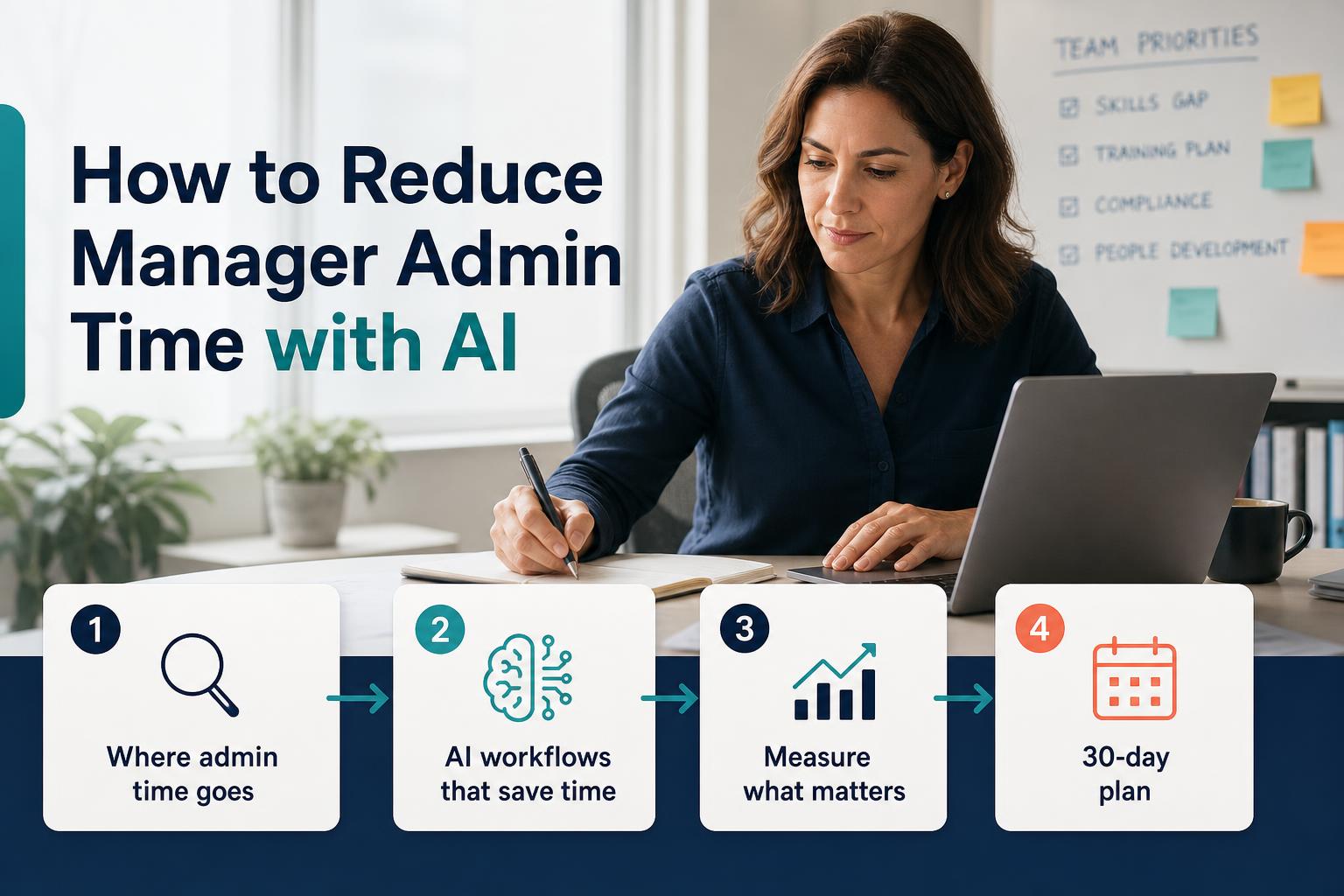
Where manager admin time actually goes
Before deploying AI tools, it's worth mapping where the time is actually going. In mid-market companies with 100–2,000 employees, manager admin typically clusters into five categories:
1. Status reporting and documentation
Weekly status updates, project summaries, and progress reports often take 2–4 hours per manager per week. Most of this information already exists in project management tools, email threads, or Slack — but managers are manually synthesizing it into a format for leadership.
2. Meeting preparation
1:1 prep, team meeting agendas, cross-functional syncs, and performance conversation preparation collectively consume 2–3 hours weekly. Most managers are doing this from scratch each time rather than building on a consistent framework.
3. Follow-up and action tracking
Capturing action items, sending follow-ups, and chasing decisions adds 1–2 hours per week for most mid-level managers. This is almost entirely automatable with the right AI workflow.
4. Communication drafting
Emails to teams, escalation messages, feedback notes, and announcements can absorb 1–2 hours weekly. Managers with lower confidence in written communication spend proportionally more time here.
5. Data aggregation for reporting
Pulling together numbers from multiple sources — HR systems, project trackers, finance dashboards — and formatting them for a report or presentation is a significant time sink that requires no managerial judgment at all.
Combined, these five categories represent 8–13 hours per manager per week for many mid-market teams. A 15–25% reduction — the baseline target for a TIQPlus pilot — equates to 1.5–3 hours per manager per week returned to higher-value work.
The AI workflows that cut admin time the most
Not all AI tools produce meaningful time savings. The highest-impact workflows share three characteristics: they are repetitive, they are output-format-consistent, and they require information retrieval more than judgment.
Status report generation
Train managers to feed AI a bullet-point data dump from their project tracker at the end of each week and receive a formatted status update in the standard template. This typically cuts report production from 45 minutes to under 10 minutes, with better consistency across the team.
Implementation note: The workflow only works reliably if you standardize the input format and the output template. If every manager prompts differently, output quality varies and the time saving disappears. A role-specific prompt library with a required input structure is essential.
1:1 meeting prep and follow-up
AI can review previous 1:1 notes, outstanding action items, and recent project updates to generate a structured agenda and suggested talking points in under two minutes. Post-meeting, AI can transcribe notes and extract action items in a consistent format.
The critical design element here is the closed loop: the pre-meeting prep references the action items from the previous meeting, and the post-meeting summary automatically populates the next meeting's prep. Without this loop, managers return to generating agendas from scratch every time.
Performance conversation prep
Midyear check-ins, quarterly reviews, and PIP conversations require managers to synthesize months of data into a coherent narrative. AI can draft a first-pass summary from structured inputs (recent projects, feedback, development goals) in the manager's documented style, which the manager then edits and personalizes — typically halving the prep time.
Escalation and cross-functional communication
Managers who are less confident writers spend disproportionate time on escalation emails, decision requests, and cross-functional coordination messages. A structured escalation template fed into an AI drafting workflow can cut this time significantly while improving message clarity and reducing the back-and-forth caused by ambiguous initial requests.
Data aggregation to report formatting
For managers who manually pull numbers from multiple systems to build a weekly or monthly report, an AI workflow that accepts a standard data paste and outputs a formatted report is among the fastest wins. Time savings of 30–60 minutes per manager per reporting cycle are common with no improvement in output quality required — just consistency.
How to measure admin time reduction
Without a baseline, you cannot prove or improve. This is the step most AI training programs skip, which is why most cannot demonstrate ROI to leadership.
Baseline measurement (week 1)
Run a structured time audit with a sample of 10–15 managers before any AI tools are deployed. The audit should cover:
- Total hours worked in the previous week (self-reported, estimated by category)
- Hours spent on each of the five admin categories above
- Time to complete one standard report (measured, not estimated)
- Time to prep for one standard 1:1 (measured)
- Current AI tool usage: what tools, how often, for what tasks
This produces a baseline per manager and an aggregate baseline for the cohort. It takes approximately 20 minutes per manager and is best run as a structured survey with a short debrief call.
Weekly tracking (weeks 2–4)
During the AI workflow rollout, track three KPIs weekly:
- Self-reported admin hours (same survey format as baseline)
- Workflow adoption rate — percentage of managers using the AI workflows at least three times per week
- Output quality consistency — spot-check five reports or meeting prep documents per week against a quality rubric
End-of-pilot readout (week 4)
Produce a before-and-after comparison showing: admin hours saved per manager per week, total hours saved across the cohort, estimated dollar value (hours saved × average manager fully-loaded hourly rate), workflow adoption percentage, and output quality change. This is your executive ROI readout and your basis for recommending rollout to additional functions.
A 30-day implementation plan
Week 1: Baseline and workflow design
- Run the time audit with your pilot manager cohort (25–50 people)
- Identify the two or three highest-time-sink workflows from the audit data
- Draft role-specific AI workflow prompts for each target workflow
- Define success KPIs and the measurement method for weeks 2–4
- Brief managers on the pilot, the KPIs, and what is expected of them
Weeks 2–3: Rollout and live coaching
- Deploy workflow prompts in the tools managers already use (ideally not a new platform they need to log in to)
- Run two live workshops: one to walk through the workflows, one to troubleshoot and reinforce
- Weekly office hours for managers who are struggling with adoption
- Weekly adoption rate check — flag managers below threshold for direct outreach
- Collect qualitative feedback mid-sprint to refine any workflows that aren't landing
Week 4: Measurement and executive readout
- Run the end-of-pilot time audit with the same managers
- Compile before-and-after data into the KPI scorecard
- Calculate total hours saved, dollar value, and adoption rate
- Present the executive readout: what changed, by how much, for whom
- Recommend the expansion plan: which functions to roll out next, in what sequence, and with what timeline
Common mistakes that kill adoption
Treating it as a training event, not a workflow change
A one-hour AI training session produces a spike in experimentation and then a return to old habits within two weeks. Sustained behavior change requires a coaching cadence, accountability KPIs, and workflow integration — not a course.
Generic prompts across all roles
A prompt that works for an operations manager writing a production status update is not the same prompt an HR manager needs to prep for a performance conversation. Generic AI training produces inconsistent outputs and frustrated managers. Role-specific workflows are non-negotiable for reliable adoption.
No baseline measurement
Without a baseline, the program can succeed in reality and still be cut because leadership can't see the impact. The measurement step is not overhead — it's the mechanism that makes the ROI case and protects the program budget.
Deploying a new platform when managers already have too many tools
The fastest AI adoption happens inside tools managers already use daily — Slack, Teams, email, or existing document workflows. Adding a net-new platform with its own login creates friction that reduces adoption rates by 30–50% in the first month.
Skipping the accountability layer
Managers who are not expected to use the workflows — with adoption rates tracked and discussed — will not use them at a rate that produces meaningful data. The accountability layer does not need to be punitive. Weekly adoption check-ins and a cohort leaderboard are typically sufficient.
Building the ROI case for leadership
The simplest ROI model for manager AI productivity is:
- Hours saved per manager per week × number of managers = total hours saved per week
- Total hours per week × 48 working weeks = total hours saved per year
- Total hours × average manager fully-loaded hourly rate = dollar value of time recaptured
For a cohort of 50 managers saving an average of 2 hours per week at a fully-loaded cost of $75/hour:
- 50 managers × 2 hours = 100 hours per week
- 100 × 48 = 4,800 hours per year
- 4,800 × $75 = $360,000 in recaptured manager capacity annually
This does not assume managers are working fewer hours — it assumes those hours are redirected from low-judgment admin to higher-value work: strategy, coaching, decision-making, and customer interaction.
The pilot generates the real before-and-after data to replace these estimates with observed numbers. An executive who asks "what did we get?" receives a scorecard with the actual figure — not a projection model.
Sources and further reading
- McKinsey Global Institute, The State of AI in 2024 — workplace productivity data
- Gallup, State of the Global Workplace 2025 — manager time allocation research
- Harvard Business Review, Where Managers Spend Their Time — admin task analysis