Last updated: 31 March 2026
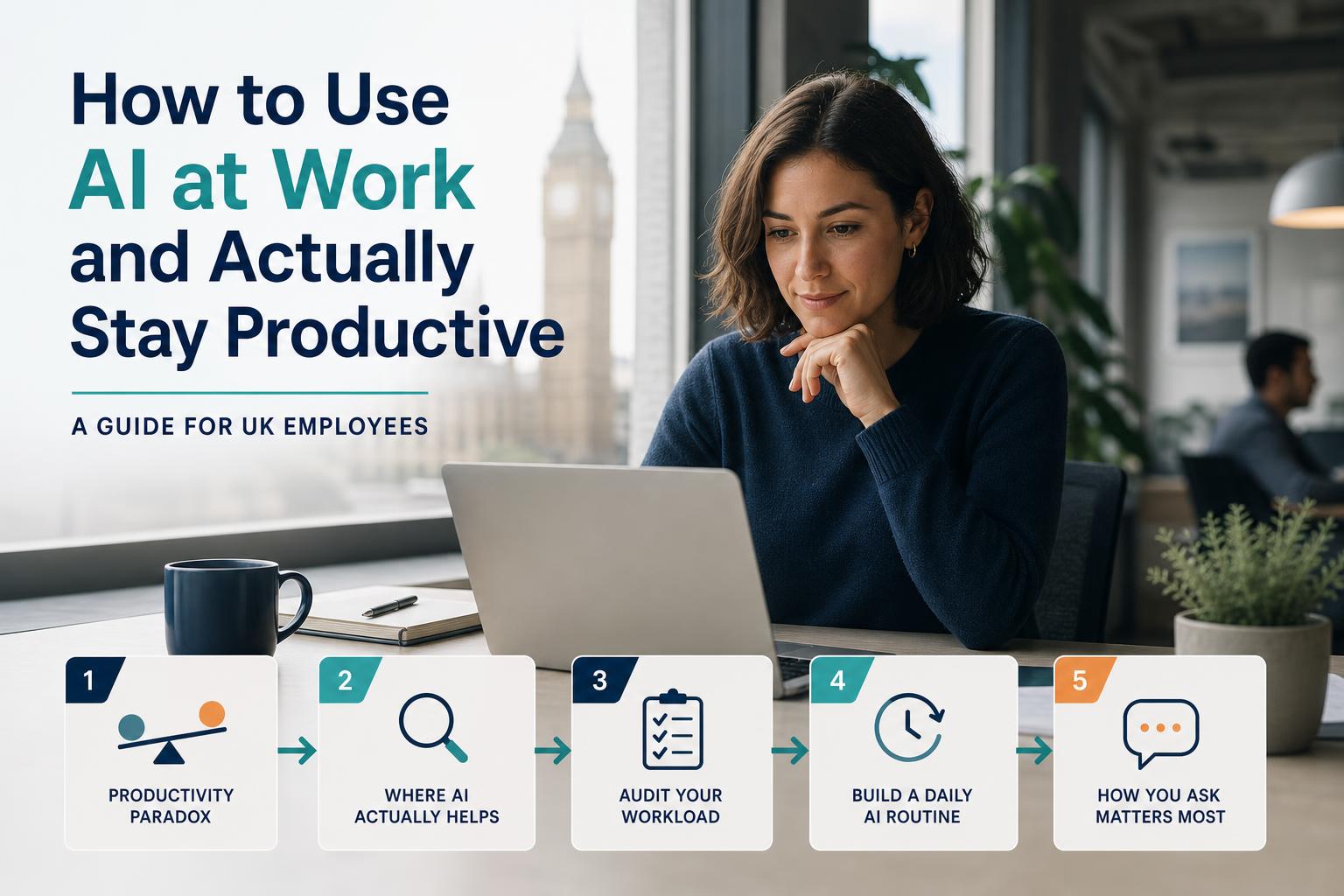
The Productivity Paradox
Here is the irony at the heart of AI and productivity: the tools that are supposed to save you time are, for most people, currently costing them time instead. Not because the tools are bad — some of them are genuinely impressive — but because of how most people encounter them.
You hear about a new AI tool. You spend 20 minutes signing up and exploring. The first few outputs are either surprisingly good or disappointingly wrong, depending on what you asked. You’re not quite sure how to use it for your actual work. You read a LinkedIn post about how someone else is using AI to save three hours a day and feel vaguely behind. You open four browser tabs comparing tools. You close them. You go back to doing things the way you did them before.
This is not a failure of motivation or intelligence. It is the predictable result of encountering genuinely useful technology without any framework for applying it to real work. The goal of this guide is to give you that framework — practical, honest, and without hype. Not “AI will change everything” but “here is specifically where AI will help you, here is where it won’t, and here is how to build a routine that actually saves you time rather than adding another layer of complexity to manage.”
The Honest Truth About Where AI Actually Helps at Work
Before building any kind of AI routine, it is worth being precise about where the genuine value is — because AI capabilities are often misrepresented in both directions. The hype overstates what AI can do autonomously. The scepticism understates how useful it is as a starting-point generator and an information processor.
There are three categories where AI consistently delivers real value for individual workers.
First draft creation
Emails, reports, summaries, meeting notes, slide outlines, job adverts, policy documents, proposals — anywhere where getting a starting point on the page is the hard part, AI genuinely helps. The blank page problem is real and it costs knowledge workers a significant amount of time. AI eliminates it. You describe what you need, you get a serviceable first draft, and you edit from there rather than writing from scratch. The output is rarely perfect and you will almost always need to revise it — but starting from a rough draft that is 60% of the way there is almost always faster than starting from nothing.
This is probably the single highest-value use case for AI in a typical UK office worker’s day.
Information synthesis
Reading a 40-page consultation document to extract three relevant paragraphs. Getting up to speed on a topic before a meeting. Summarising a long email thread. Pulling key points from a dense report. These tasks take time and cognitive effort but deliver relatively little thinking value — the value is in having done the reading, not in the reading itself. AI handles this category very well. Paste in a document and ask for a summary, a list of key points, or specific information, and you will get something useful quickly. The caveat: you still need to spot-check important claims, because AI can miss nuance or occasionally misrepresent what a document says. But for getting an orientation fast, it is hard to beat.
Repetitive structured tasks
Reformatting data, converting content between formats, generating variations of the same text for different audiences, creating templates, producing structured tables from unstructured notes — these tasks follow a predictable pattern that AI handles well. If you find yourself doing the same formatting or restructuring work repeatedly, it is almost certainly something AI can do in seconds rather than minutes.
Where AI reliably fails
Being honest about failure modes is as important as understanding strengths. AI is consistently unreliable in four areas:
- Anything requiring real judgment about people and relationships. AI can draft a difficult email but it does not know your colleague, your history, or the organisational context. That judgment is yours to apply.
- Anything where accuracy is critical and you cannot verify the output. AI makes things up — confidently, fluently, and occasionally — in a way that is hard to spot without domain knowledge. Never use AI output as a definitive source for facts, statistics, or regulatory detail without independently verifying it.
- Anything requiring current or very specific knowledge. AI training data has a cutoff point and AI tools do not always know what they don’t know. Be particularly cautious with recent events, live data, current prices, or fast-moving policy areas.
- Creative work where your original voice actually matters. AI can write in a style similar to yours but it cannot generate the specific insight, the original perspective, or the distinctive voice that makes your creative work yours. Using AI to handle the structure and mechanics can free up space for that — but it cannot substitute for it.
Internalise this and you will get the value from AI without the risks. Treat every AI output as a capable first draft submitted by a new colleague who works quickly but sometimes gets things wrong — useful, worth editing, not worth blindly publishing.
How to Audit Your Own Workload for AI Opportunity
Most people approach AI backwards — they learn what a tool does and then try to find uses for it in their work. The approach that actually produces time savings is to start with your own workload and identify where the friction is, then ask whether AI can reduce it.
This audit takes about ten minutes. Work through these five questions honestly.
- What tasks do I do repeatedly that follow a predictable pattern? These are your highest-probability AI wins. If you write the same types of emails, run the same types of reports, or produce the same types of documents regularly, AI can dramatically reduce the time each takes.
- What do I spend the most time on that delivers the least thinking value? Time-consuming but low-judgment work is exactly what AI is designed for. Formatting, reorganising, summarising, converting — identify where your effort goes without your thinking being required, and that is where to start.
- Where do I regularly get stuck waiting for a first draft or starting point? If you regularly stare at a blank document before you can begin, note what those tasks are. AI eliminates the blank page problem reliably.
- What information do I regularly need to digest quickly? If you frequently need to absorb long documents, reports, or email threads to extract what is relevant to you, information synthesis is a high-value AI use case.
- What do I produce that others reuse or repurpose without much change? Templates, standard communications, boilerplate content — these are worth having AI generate, because the lack of originality that limits AI’s creative value is actually an asset when consistency is what you need.
After working through these questions, you should have a short list of three to five specific tasks that are genuine AI candidates. Start there. Do not try to overhaul your entire working pattern at once — that is exactly the approach that produces tool fatigue without results.
Building a Practical Daily AI Routine (Not a Toolstack)
The mistake most people make when trying to use AI more at work is to collect eight tools and use none of them consistently. A subscription to five AI apps you open twice each looks impressive and delivers nothing.
The approach that actually works is simpler: pick one AI assistant for general work tasks, use it consistently for a month, and become genuinely good at it before adding anything else. One tool used well every day will deliver more value than five tools used occasionally and reluctantly.
The main options for UK workers are:
- Microsoft Copilot — if your employer provides it via Microsoft 365, start here. It integrates directly into the applications you already use (Word, Outlook, Teams, Excel) and does not require switching context.
- ChatGPT — widely used, capable, and well-documented. The free tier is adequate for most general tasks; ChatGPT Plus adds significantly more capability if you use it regularly.
- Claude — strong on longer documents and more nuanced writing tasks; worth trying if you work with a lot of dense material or complex communications.
Whichever you choose, here are four daily touchpoints that most UK workers find genuinely useful once the habit is established.
Morning: email triage and drafting (10 minutes)
Before you start responding to emails individually, paste a summary of your backlog into your AI assistant with a brief description of your role and ask it to suggest a priority order and draft responses to the three most straightforward ones. You will still need to edit and send each response yourself, but going into your inbox with drafts rather than blank replies changes the texture of that task entirely. Ten minutes of AI-assisted preparation can save thirty minutes of composition spread through the morning.
Before meetings: document summary and question prep
If you have a meeting with a pre-read document, paste the document into your AI assistant and ask for a summary of the key points and the three questions you should be asking. You will get an orientation on the material faster than reading the full document, and the question prompts are often genuinely useful — AI is good at identifying the obvious gaps or tensions in a document that you might miss when reading it yourself under time pressure.
After meetings: notes to action points
Paste your raw meeting notes into your AI assistant and ask for a structured summary with named action points, owners, and deadlines. This turns a messy set of notes into a clean, shareable document in two minutes rather than fifteen. The AI will not know which owner to assign without your help, but it will structure the output in a format that makes it easy for you to fill in those details quickly.
End of day: the piece of writing you’ve been putting off
Almost everyone ends the day with one piece of writing that they have been avoiding — a difficult email, a report section, a proposal, a performance review comment. Use the last ten minutes of your working day to give your AI assistant enough context to produce a first draft, review and edit it, and send or save it. The psychological relief of not carrying that task forward to tomorrow is an underrated benefit of AI assistance that rarely gets mentioned alongside the time savings.
The Prompt Skill: Why How You Ask Matters More Than Which Tool You Use
If you ask your AI assistant “write me an email” and are disappointed by the result, the problem is almost certainly your prompt, not the tool. AI assistants produce output that is proportional in quality and relevance to the quality and specificity of the input you give them. This is not a technical concept — it is just the same principle that applies to briefing a colleague. The better your brief, the better the work.
Three improvements anyone can make to their AI prompts, starting immediately:
Give context
Tell the AI who you are, what you are trying to do, and who the output is for. AI tools do not have access to your job title, your organisation, or your relationship with the recipient. Without that context, they produce generic output. With it, they produce something much more useful.
Give format
Tell the AI what you want the output to look like. A bullet list. A 200-word email. A 5-slide outline. A table with three columns. AI tools are good at following format instructions, and specifying the format saves you the time of reformatting output that came back in the wrong shape.
Give an example or constraint
If you want the output to match a particular tone, style, or standard, say so explicitly. “Formal and direct, no jargon” is a useful constraint. “Match this style: [paste a sample of your own writing]” is even better. Constraints narrow the space of possible outputs in a way that consistently improves quality.
Here are three concrete before-and-after prompt examples for typical UK workplace tasks.
Staying in Control: The Verification Habit
The single most important skill for working effectively with AI is knowing when to trust its output and when to check it. This is not about being suspicious of AI — it is about building the same professional habit that applies to any information source: appropriate verification proportional to the stakes.
Four types of AI output should always be verified before use, regardless of how confident and accurate they appear.
Any specific fact, statistic, or date
AI models are very good at producing text that looks authoritative. They are not reliably accurate about specific facts, particularly numbers, dates, names, and statistics. If an AI produces a figure that matters — a completion rate, a legislative date, a cost estimate — look it up independently before using it. This takes thirty seconds and prevents the kind of embarrassing error that damages professional credibility far more than the original task was worth.
Any legal, financial, medical, or compliance content
AI tools are not qualified advisers and their outputs should not be treated as professional advice. If you use AI to draft compliance documentation, a financial summary, or anything touching on employment law or health and safety obligations, have it reviewed by someone with the appropriate professional expertise before it is used. AI can help you produce a first draft faster — it cannot substitute for qualified professional judgment.
Any communication going to a client or senior stakeholder
External communications represent your organisation and your professional judgment. AI draft quality varies, and the failure modes — wrong tone, awkward phrasing, content that misrepresents your actual position — can cause real damage to relationships. Read every AI-drafted external communication carefully before sending. The time saving is still significant; you’re editing rather than writing from scratch. But do not skip the review.
Any content that uses names or quotes
AI tools sometimes generate plausible-sounding but fabricated attributions — quotes from people who didn’t say them, statistics attributed to reports that don’t exist. This is the category of AI error most likely to cause immediate, visible problems. If AI output includes a quote, a named source, or an attributed statistic, verify it independently before it appears in any document or communication.
Managing AI Overwhelm — When You Have Too Many Tools and Not Enough Time
One of the more common AI productivity problems in 2026 is not that people are using AI too little — it is that they are nominally signed up to too many tools and not using any of them well. Over-tooling is a real phenomenon and it has specific symptoms.
Signs you might be over-tooled:
- You can’t reliably remember which tool does what, or which you used last time for a particular task
- You spend time comparing tools, reading reviews, or watching demos rather than actually using tools to do work
- You have more than one AI subscription that you feel vaguely guilty about not using properly
- Your “AI time savings” are being eaten by tool management, context switching, and re-learning interfaces
The cure is deliberate simplification. Commit to a maximum of three AI tools:
- One general assistant for everyday writing, synthesis, and thinking tasks (ChatGPT, Claude, or Copilot — pick one).
- One tool specific to your job function, if one exists and your employer has approved it — a transcription tool for meetings, a coding assistant if you write code, a research tool if you do a lot of literature review.
- One shared team tool, if your team has adopted one for shared use — a shared AI note-taking integration, a shared document tool, or similar.
Cancel or pause everything else. Habit beats breadth every time. Three tools you use every day are worth far more than twelve tools you use once a fortnight.
What Your Employer Should Be Providing — and What to Do If They’re Not
This guide has focused on what you can do individually — but there is an employer dimension that is worth being aware of.
EU AI Act Article 4 can apply to a UK organisation that is a provider or deployer within the Act’s territorial scope, but selling into the EU is not by itself the complete legal test. Where it applies, the organisation must take proportionate measures for sufficient AI literacy, considering existing knowledge, context and the people affected. The Commission does not prescribe one course, certificate or number of hours. Separately, employers should give workers clear, role-specific guidance on approved tools, data boundaries, review and escalation.
If your employer hasn’t offered AI literacy training, or if the training they provided was a 30-minute e-learning module that you clicked through last year, the practical options available to you are:
- DfE free digital skills courses — the Department for Education funds free digital skills training for eligible adults in England, including AI and data literacy content. Check gov.uk for current provision.
- Skills Bootcamps — government-funded, typically 16-week programmes covering AI and digital skills. Your employer nominates you; the government covers the majority of the cost. Employer contribution is typically 10% for SMEs and 30% for large employers. Talk to your L&D or HR team about nominating you.
- Free online resources — Google’s AI Essentials course, Microsoft’s AI skills training available through LinkedIn Learning, and the Alan Turing Institute’s introduction to data science and AI are all free and accessible.
The productivity gap between employees who can use AI tools effectively and those who cannot is real and it is widening. Do not wait for your employer to prompt you — the investment of a few hours in structured AI literacy training will pay back in hours saved every week for years.
Where to Start: A Practical First Week
If you have read this far and want to put it into practice, here is a specific first-week plan that requires no subscriptions, no technical setup, and no significant time investment.
- Day 1: Do the 10-minute workload audit. Identify three tasks that are genuine AI candidates based on the five questions above. Write them down.
- Day 2: Choose one AI assistant (start with whatever is free and accessible — ChatGPT’s free tier is adequate). Use it specifically for one of the three tasks you identified. Spend 15 minutes on it — no more.
- Day 3: Use AI for a meeting-related task — either a pre-read summary or a post-meeting action list from your notes. Note how long it takes versus how long the manual version would have taken.
- Day 4: Use AI for the piece of writing you have been putting off. Give it enough context (use the before/after prompt framework above). Edit the output. Send or save it.
- Day 5: Reflect. Which of the three tasks delivered the most obvious time saving? Commit to using AI for that task every time you do it for the next month. That’s your habit. Build from there.
That’s it. Not a toolstack overhaul. Not a subscription to seven new apps. One habit, built deliberately, compounded over time. That is how AI actually makes you more productive — and how you stay in control of it rather than the other way around.
Frequently asked questions
Which AI tool should I use for work?
For most UK employees, the best starting point is whichever general-purpose AI assistant your employer has already approved — most commonly Microsoft Copilot (if your organisation uses Microsoft 365), ChatGPT, or Claude. If your employer hasn't specified a tool, start with one free general assistant, use it consistently for a month, and only add a second tool when you have a specific use case the first one can't handle. The tool matters far less than the habit of using it consistently and the skill of prompting it well.
How much time can AI actually save me at work?
Research from the Microsoft Work Trend Index 2025 and WEF Future of Jobs reporting suggests that employees who use AI tools consistently report saving 2–3 hours per week on routine tasks such as drafting communications, summarising documents, and reformatting content. The key word is 'consistently' — sporadic use of AI tools rarely produces meaningful time savings because the time spent remembering how to use them and re-learning interfaces eats into the gains. Workers who build a daily AI routine and use a small set of tools repeatedly tend to see significantly larger time savings over a 3–6 month period.
Is it safe to use AI tools at work?
The safety of AI tools at work depends primarily on what data you put into them. The key rule is: never submit personal data (names, contact details, health information, financial information) to a consumer AI tool that hasn't been approved by your employer and doesn't have a data processing agreement in place. Many consumer AI tools train on submitted data by default, which creates GDPR risks for any personal data you include. Use AI tools for drafting, summarising, and formatting tasks using anonymised or non-personal content, and always check your employer's AI usage policy before using new tools for work tasks.
What if my employer hasn't provided any AI training?
UK employers have obligations under EU AI Act Article 4 to ensure employees who work with AI systems have adequate AI literacy. If your employer hasn't offered training, there are several options available to you. The Department for Education funds free digital skills courses for eligible adults. Skills Bootcamps covering AI and digital skills are largely government-funded and can be accessed when nominated by an employer. The GOV.UK website lists current free and subsidised digital training available in England. Don't wait for your employer to act — the productivity gap between workers who can use AI effectively and those who can't is widening every month.
Sources & further reading
- WEF Future of Jobs Report 2025 — weforum.org/publications/the-future-of-jobs-report-2025
- Microsoft Work Trend Index 2025: AI at work — microsoft.com/en-us/worklab/work-trend-index
- GOV.UK: EU AI Act and UK obligations — gov.uk/guidance/uk-regulatory-approach-to-ai